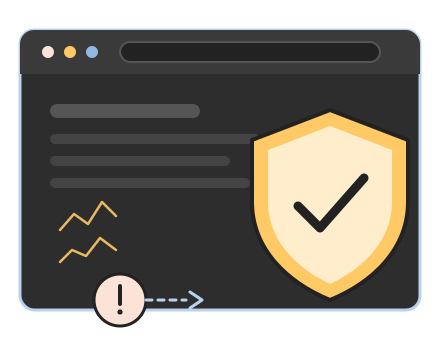

Google says "This site may be hacked"
Or Chrome shows a red "Deceptive site ahead" page before anyone can reach you.
Usually you find out from someone else. Any one of these means yes — and the sooner it's cleaned, the less damage it does to your search rankings and your reputation.
Or Chrome shows a red "Deceptive site ahead" page before anyone can reach you.

Your site sends people to pharmacy, casino, or "your computer is infected" pages — often only from phones or only from Google.

Google shows Japanese text, knock-off products, or thousands of pages you never made under your domain.

Your host sent a malware notice, suspended the account, or the site simply crawls while a script spams from your server.

Your password stopped working, or there's an administrator in the user list that nobody recognizes.

Messages from your domain land in spam or bounce outright because the server is on a blocklist.
If you're not sure, send me the URL. I'll tell you in plain language whether it's hacked, how bad it is, and what to do next — no charge for the look.
The same six steps every time. Skipping any one of them is how a site gets re-hacked a week later.
Take a full backup of the infected site as evidence, then lock the doors: new passwords, new security keys, and every unknown administrator removed.
Scan every file and the database for malware, backdoors, and injected code — including the files that scanners miss, by comparing against clean copies of WordPress, your theme, and your plugins.
Remove the infection by hand. Core, theme, and plugin files are replaced with fresh, verified copies rather than patched — it's faster and leaves nothing behind.
Figure out how they got in — an outdated plugin, a weak password, a leftover admin account — and fix that specifically, so the cleanup actually sticks.
Update everything, remove abandoned plugins and themes, lock down file permissions, and put security in place so I can see the next attempt before it works.
Request Google's review in Search Console, clear the Safe Browsing warning, and send a short written report of what I found and what I changed.
One flat fee, a clear line for what's beyond it, and no surprise invoice.
$250 flat
Covers up to 3 hours of work, which handles most small-business WordPress sites completely.
Most cleanups finish inside the flat fee. The ones that don't are usually sites with years of unused plugins or several infected sites on one hosting account — and I'll know that within the first hour and tell you. See how my rates work →
Ready to start? Pay the $250 cleanup fee by card, Apple Pay, Google Pay, or bank account through Stripe, and I'll begin the same business day. Prefer a look first? Send me the URL and I'll tell you what I see at no charge before you pay anything.
Whether your business is in South Jersey or across the country, removing malware is half the job. The other half is making sure the same door isn't still open tomorrow.
Every cleanup includes hardening, because a site that was hacked once is the first thing attackers try again. These aren't plugins I switch on and forget; they're the same settings I run on the sites I host and maintain myself.
If you only want the security work — no infection yet, just a site you'd like to stop worrying about — that's available as a stand-alone service at my normal hourly rates.
Hacked sites come back when nothing changes. Most of the sites I clean were never being maintained — the cleanup fixes today; a plan fixes next year.
$250 flat
$250 cleanup, then from $129/mo
A century-old non-profit gallery was compromised, and their host took the site offline to contain it. Their web presence had grown over 20 years into 21 separate legacy sites — some older than WordPress itself — with intrusions already installed across several of them. Restoring that safely wasn't realistic, so I rebuilt the primary site clean on secure infrastructure of my own: every core page and program, 107 pages, 75 posts, and 3,300+ media files, reconciled with zero broken links.
They were back online in about three days, on a budget a small nonprofit could afford. Read the full case study →
When you call, you get me — the person who'll actually be in your files — not a sales desk that hands you off. I've been building, hosting, and maintaining WordPress sites since 2012, I'm based in Mount Laurel, New Jersey, and I have 30+ five-star Google reviews from clients who'll tell you I pick up the phone.
I'll be honest about what I find, including when the right answer is a rebuild rather than a cleanup. Emergency work outside business hours is billed at 1.5x; I'll tell you if that applies before I start.

Spencer Taylor
WordPress designer & developer
Mount Laurel, New Jersey
I start the same business day you reach me, and most small-business sites are clean and back to normal within 24 hours. Google's Safe Browsing review is the one part I can't speed up; it usually clears within a few days of the request.
No. I back up the entire site before touching anything, and I clean the infection out of your content rather than deleting it. The only time content is lost is when it was deleted by the attacker and there was never a backup — and I'll tell you that up front if it's the case.
Almost never because someone targeted you. Bots scan millions of sites for a known hole — an outdated plugin, a weak admin password, a leftover theme — and break into whichever ones have it. WordPress itself is secure when it's kept current; sites get hacked when nobody is keeping them current.
Because a backdoor was missed, or the original entry point was never closed. Cleaning the visible malware without finding how it got in is the most common mistake, and it's why steps two and four of my process exist. It's also why I back the work with a 30-day re-clean guarantee.
Your hosting control panel login (or FTP/SSH credentials) and a WordPress administrator account. If you can't log in to WordPress anymore, the hosting login alone is enough; I can get in from there.
Yes. Once the site is clean I request a review through Google Search Console, and the "This site may be hacked" or "Deceptive site ahead" warning is removed when Google re-crawls and confirms it. If your domain landed on an email blocklist, I'll request delisting there too.
Any host. If you can give me access to the files — cPanel, FTP, SSH, or a managed host's dashboard — I can clean the site. If your host has suspended the account, I'll work with their support to get it reinstated once it's clean.
No. I'm based in Mount Laurel and most of my clients are in South Jersey and Philadelphia, but a hacked-site cleanup is entirely remote. Where you are doesn't matter; the time of day you call might, since emergency work outside business hours is billed at 1.5x.
Send me the URL and the best way to reach you. I'll look at it, tell you what I see, and get started the same business day.