


Service Businesses With a Showcase Site
Contractors, consultants, practices, studios — anyone whose site needs to look sharp, explain what you do, show the work, and get people to call or fill out a form.
A website that is just files: hand-built HTML and CSS, no CMS, no plugins, no database. The fastest and most secure kind of site there is — for businesses whose site is a showcase and a contact point, not a shop.
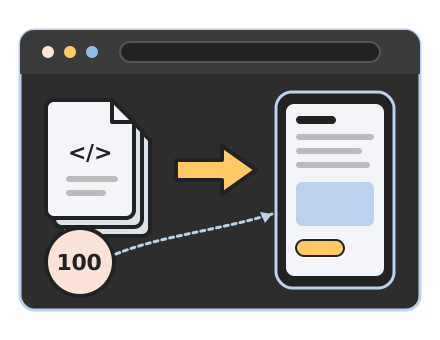
Every page on a static site is a finished HTML file. When someone visits, the server hands it over — no PHP running, no database queries, no page builder assembling layouts on the fly. The design lives in one stylesheet. The only code that runs in the browser is what the page needs: a menu, a contact form, analytics.
That simplicity is the whole point. Nothing to hack because there is no login. Nothing to update because there are no plugins. Nothing to cache because there is nothing slow.
Contractors, consultants, practices, studios — anyone whose site needs to look sharp, explain what you do, show the work, and get people to call or fill out a form.

Campaign pages, microsites, and client brochure sites that have to score well and never break. White-label available.

If you are paying for monthly maintenance on a site that never needed a CMS in the first place, a static rebuild can end that bill.
We settle the page list, the copy, and the brand. I tell you up front if anything you need is dynamic — and if it is, I will recommend WordPress instead.
Colors, type, spacing, and components are defined once, with contrast checked before a single page is laid out.
You review every page at real device widths, in both color modes, before anything goes live.
Old URLs are mapped and redirected, the sitemap is submitted, and analytics are confirmed firing. Then I hand you the keys — or keep them under a webcare plan.
A static site is the right tool for a specific job. It is the wrong tool when you need:
I build and maintain WordPress sites every week. If that is what your business needs, that is what I will recommend.
Because the site is files, edits are quick for me: a new page, a price change, a new photo, a seasonal banner. Most clients fold updates into a webcare plan or send them as they come up and are billed in hourly blocks. If you work with an AI assistant yourself, you can make changes directly: text edits are trivial, and new sections or pages are built from the same components as the rest of the site. Plain HTML and CSS, nothing proprietary.

Yes. Google rewards fast, stable, crawlable pages, and a static site is all three by nature. You get the same SEO fundamentals as any site I build: titles, descriptions, schema, a sitemap, and redirects from your old URLs.
Yes. Posts are files generated by a build script, with categories and a filterable index. It works well for a company that posts a few times a month.
Yes. With an AI assistant (I use Claude), editing a static site is a conversation: describe the change and it is made, from a price update to a whole new page. If you are comfortable with HTML you can edit the files directly, and if you would rather not touch it at all, send me the change and it is usually done the same day.
A small, self-hosted form handler with spam protection and a delivery log. No third-party form service required, though I can wire one if you prefer.
On my private LiteSpeed VPS by default, with SSL, backups, and Cloudflare. Because it is just files, it can also live on any host or CDN you choose.
Like all of my projects, a static build is billed on time. Static sites take less time to build than WordPress sites — typically 30–50% less, depending on what you need, and for some projects the savings are larger. Tell me about your project and I will give you a considered estimate.
See how I billYes, if the site fits the profile above. I port the copy, keep every URL or redirect it, and rebuild the design as a clean system. That is exactly what I did to my own site.
Tell me what your site needs to do. If a static build fits, I will show you mine and quote the work. If it does not, I will say so. Here is what one conversation gets you:

Spencer Taylor
Web designer & developer
Mount Laurel, New Jersey