


The server takes too long to answer
If it needs more than about 600 milliseconds just to start sending the page, no image or code work will make the site feel fast.
If you want a WordPress site that keeps visitors instead of losing them before they read a word, I can help. I:
If you’ve blamed your theme or page builder, it’s rarely the primary cause. Most slow WordPress sites are slow for the same few reasons:
If it needs more than about 600 milliseconds just to start sending the page, no image or code work will make the site feel fast.

WordPress rebuilds every page from the database on every visit unless something saves the finished page for the next visitor.

One photo straight from a phone can be several megabytes.

Chat widgets, maps, and tracking pixels each add their own downloads.
I check them in that order. My guide to why a Divi site is slow walks through the same process if you want to try it yourself first.
You want proof the work made a difference, so I measure first. I run your real pages, not only the home page, through Google PageSpeed Insights on mobile and save the results. Then I work through the causes.

Page caching saves the finished page so the server doesn't rebuild it for every visitor. I use caching only, not stacks of performance plugins. Overlapping tools are a common cause of broken layouts and no speed gain.

WebP is a modern image format that is usually much smaller than JPEG or PNG at the same visible quality, and every current browser supports it. I also resize images so none is wider than the space it fills.

Many plugins load their code on every page even though they work in one area. I turn plugins off where they aren't used and remove the ones nobody uses.

If the server stays slow with caching on, no setting will fix it, and I'll tell you plainly. If you want to move, I offer private VPS hosting for $350 a year with free migration, but you're never required to.
When I'm done, I test the same pages again and show you the numbers side by side.
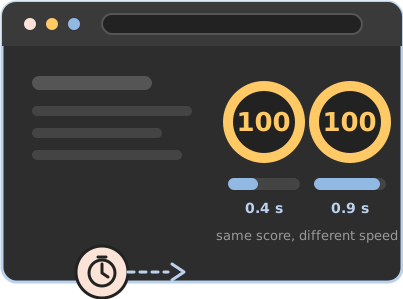
The big number in a PageSpeed Insights report is useful, but it isn't a measure of time. It compares your page with other websites. Two sites can both score 100 and load at noticeably different speeds, and the time your server takes to answer doesn't count toward the score at all.
What Google uses for search is real-visitor data from the last 28 days, shown at the top of the same report. That's what I focus on, along with the timings underneath the score. More in what a PageSpeed score actually means. The goal is a site that loads quickly for visitors, not a badge.
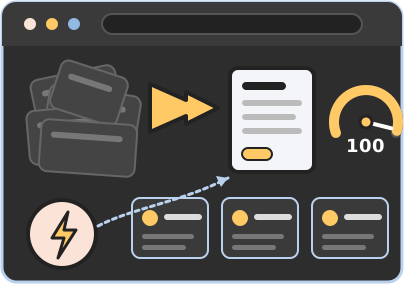
Sometimes WordPress is doing far more work than your site needs. If your site explains what you do and brings in leads, and doesn't sell products or need logins, a static site may be the better fix. A static site is a set of finished HTML files with no database and no plugins, so there's little to slow down.
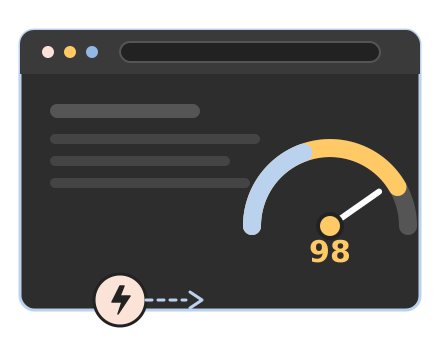
I made that move with my own site. On mobile, my home page went from 78 to 98–100 in PageSpeed Insights, and I went from 24 plugins to update to none. The static website case study has the full numbers, and my guide on how to convert a WordPress site to a static site explains the move. If WordPress is still the right platform for you, I'll say so and make it fast.
No. Most of the sites I speed up were built by someone else. I review the site before I give you an estimate.
I set up caching and stop there. Stacks of optimization plugins often fight each other and break layouts without making the site faster.
No. The score moves from run to run, and a perfect score isn't the goal. I measure before and after and focus on how fast the site loads for real visitors.
Speed work is billed by the hour, like everything I do. I look at your site first and give you an hours estimate before I start. I track time in 15-minute increments and bill only for real work.
Hours come in prepaid blocks: 5 hours for $500, 10 hours for $900, or 20 hours for $1,700, and they never expire. No commitments, no contracts, no gotchas. See my rates for details.
Speed slips as plugins and larger images get added. A Webcare plan keeps the site updated and monitored afterward.
If you want a faster site, tell me which one is slow, and I’ll tell you what’s causing it and what it’ll take to fix it. In some cases, I may need to review the site's backend to fully evaluate it, and I will let you know if that's necessary.

Spencer Taylor
WordPress designer & developer
Mount Laurel, New Jersey